
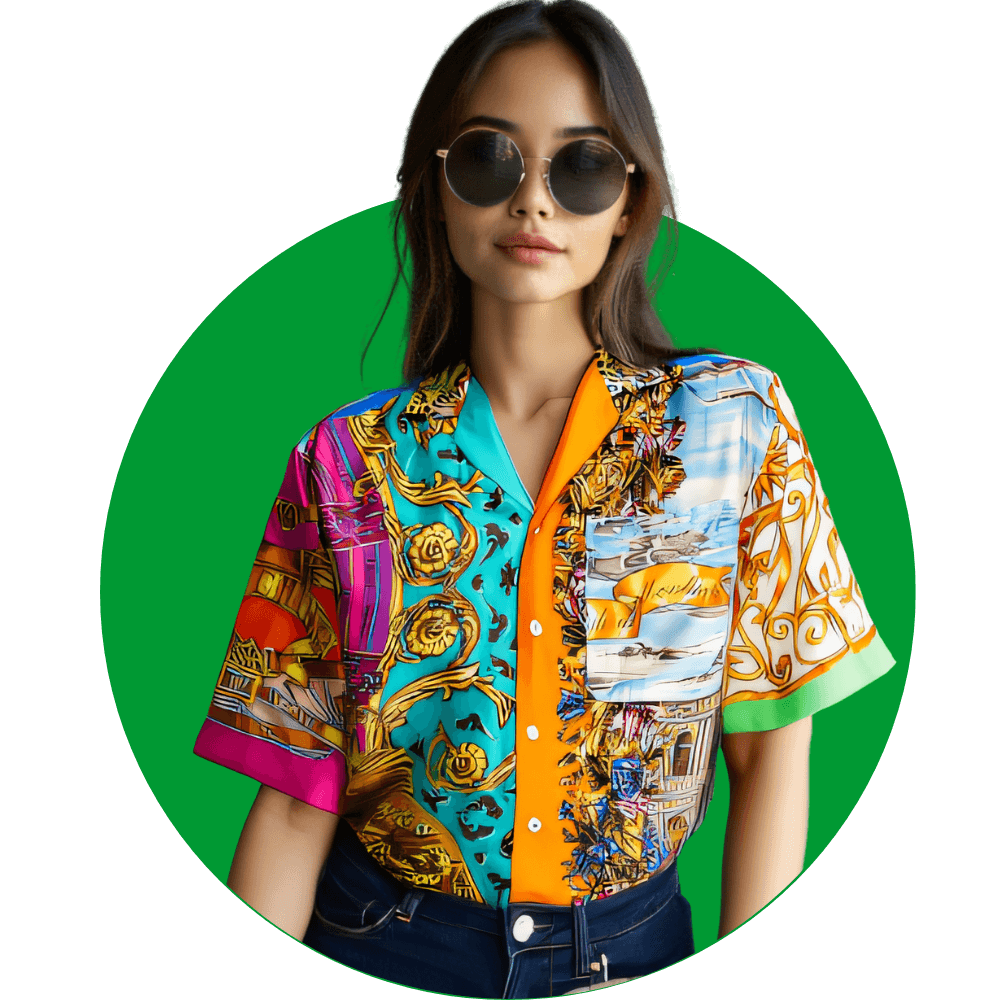
Confused About How ShirtMockups Works?
This page answers the most common questions from people using our tool — what it does, how it works, and whether it fits your store.
No vague marketing. Just straight answers.
realistic product photos


FAQ
Frequently Asked Questions
Get answers to common questions about ShirtMockups, our AI-powered t-shirt mockup generator. Learn how to create professional mockups for your online store.
ShirtMockups is a tool that lets you generate realistic t-shirt mockups using AI-generated models — no need for Photoshop or hiring photographers.
Unlike Placeit, which uses preset templates, ShirtMockups creates custom mockups with AI-generated people wearing your exact shirt design.
Yes — just upload your PNG or JPG design. ShirtMockups will automatically place it on a model and generate a full lifestyle image.
Nope. ShirtMockups is made for sellers who want fast results without design experience.
Right now we support t-shirts, but we're expanding to more apparel soon — like hoodies, tank tops, and more.
Yes. You can choose from different model genders, styles, and environments — indoor, outdoor, studio, and more.
Yes — our mockups are designed to fit Etsy's product photo requirements and help improve click-through rates.
Yes. ShirtMockups creates high-quality mockups that meet Amazon Merch's image guidelines and help your product stand out.
Definitely. ShirtMockups is perfect for Shopify — just upload your design and add the mockups directly to your store.
You can use ShirtMockups to create t-shirt mockups without any software. Just upload your design and generate a ready-to-use image.
Yes — ShirtMockups generates fashion models wearing your exact shirt design using AI.
Yes. ShirtMockups lets you choose from a variety of AI-generated models with different styles and poses.
Yes — our users use them in real stores on Shopify, Etsy, and Amazon. The images convert like pro photos.
Use ShirtMockups. It's built to generate high-quality lifestyle images in under 60 seconds.
Upload your design to ShirtMockups and select a model. The AI generates a mockup with a person wearing your shirt.
Yes. ShirtMockups creates lifestyle mockups in real environments with your shirt on a person.
Use an AI-powered tool like ShirtMockups. It gives you full control and professional results.
Yes — with ShirtMockups, you can visualize your design on a person before printing.
Yes — tools like ShirtMockups let you create mockups without using Photoshop or any design software.
Upload your design to a tool like ShirtMockups, pick a model, and get a realistic mockup image instantly.
Yes — with ShirtMockups, you can create mockups by uploading your design and choosing how you want it to look.
Use ShirtMockups: upload your design, select a model, and let the AI generate a photorealistic t-shirt image.
ShirtMockups offers a free trial that lets you design t-shirt mockups with AI in just a few clicks.
ShirtMockups is one of the best mockup generators for t-shirts, giving you unique, realistic results with AI models.
ShirtMockups offers a free trial and delivers high-quality mockups without templates or complex software.
Yes — if your design is original and follows platform rules, you can sell AI-generated T-shirts on Etsy, Amazon, and more.
Yes — you can print AI-generated images on shirts, as long as the resolution is good and you have the rights to the design.
Unfortunately, we cannot offer a free trial because we use cutting-edge AI technology that incurs very high costs to ensure the highest quality for our users. However, we have created an affordable basic plan for 4.99 USD that allows you to generate 10 photos of your shirt design on a professional model. You can cancel the plan at any time before the end of the month.
Yes, you can use the photos for commercial purposes.
Currently, the Shirt Mockups AI Tool works best with models wearing shirts or flat photos of male and female tops. We do not yet support pants, coats, or dresses. To ensure you get a high-quality result, please use photos where every part of the garment is visible. Photos of folded, tied, or incomplete garments will not function properly.
Typically, it takes about 30–60 seconds to generate a mockup. However, during peak usage times or for more complex designs, it may take up to 2 minutes. We're constantly working on optimizing our system for faster results.
Yes, you can upload your own model images. However, if you're using images of real people, ensure you have the necessary rights and permissions for commercial use. Our AI tool works best with clear, front-facing images of models in neutral poses.
Our AI-generated models are highly realistic and diverse. They are designed to represent a wide range of ethnicities, body types, and styles. However, please note that these are AI creations and not real people, which allows for commercial use without model release concerns.
The mockups are generated as high-quality image files. While you can't edit them directly within our tool, you can download the images and edit them using any image editing software of your choice.
While we don't actively monitor the content of your designs, we expect users to comply with general content policies. This means avoiding designs that are offensive, illegal, or infringe on others' intellectual property rights. Users are responsible for ensuring they have the right to use any designs they upload.
If you're not happy with a generated mockup, you can always regenerate it with different settings or a different model. Each generation counts towards your monthly limit. If you consistently face issues, please contact our support team for assistance.
Currently, we do not have an API because we are still in beta.
You don't need Photoshop at all! There is tools like ShirtMockups.com, where you just upload a photo of your shirt (even a real photo, not a design), and it creates lifestyle mockups with models wearing it — all AI-generated. Super simple and no templates required.
Yes — tools like ShirtMockups.com do exactly that. You upload your shirt design or a picture of the actual shirt, and their AI will generate mockups showing models wearing it. No need to choose a pose or edit anything manually.
If you're only working with shirts, check out ShirtMockups.com. It's laser-focused on t-shirts and super quick — you upload a design or a photo of the shirt, and it generates mockups with models in realistic environments.
Yes, and that's where ShirtMockups.com is really useful. Unlike tools that require designs on blank templates, you can upload an actual photo of your shirt and it'll create mockups showing a person wearing it. Great for handmade or one-of-a-kind shirts.
For POD sellers, ShirtMockups.com is one of the better tools out there. It creates high-converting lifestyle mockups of shirts, which is perfect for Etsy or Shopify product pages — especially if you're selling your own photos or samples.
Totally. ShirtMockups.com is ideal for that. Instead of forcing you to fit your design into a stock template, it lets you upload the actual shirt and turns it into lifestyle photos with models — which works great for vintage, thrifted, or non-standard shirts.
You can contact us by email at: contact@shirtmockups.com